What Is an AI Stack? Five Layers Explained
Key insights
- The model is just one of five layers. Most AI discussions obsess over which LLM is best, but infrastructure, data, and orchestration matter just as much.
- RAG connects AI to what's actually happening now. A model's knowledge has a cutoff date, so external data is what makes it relevant to your real problem.
- Orchestration is the fastest-growing layer. Protocols like MCP are turning AI from simple answer machines into systems that can plan, act, and self-correct.
- Every layer limits the layers above it. Your GPU determines which models you can run. Your data determines what the model knows. Your orchestration determines what it can do.
This is an AI-generated summary. The source video may include demos, visuals and additional context.
In Brief
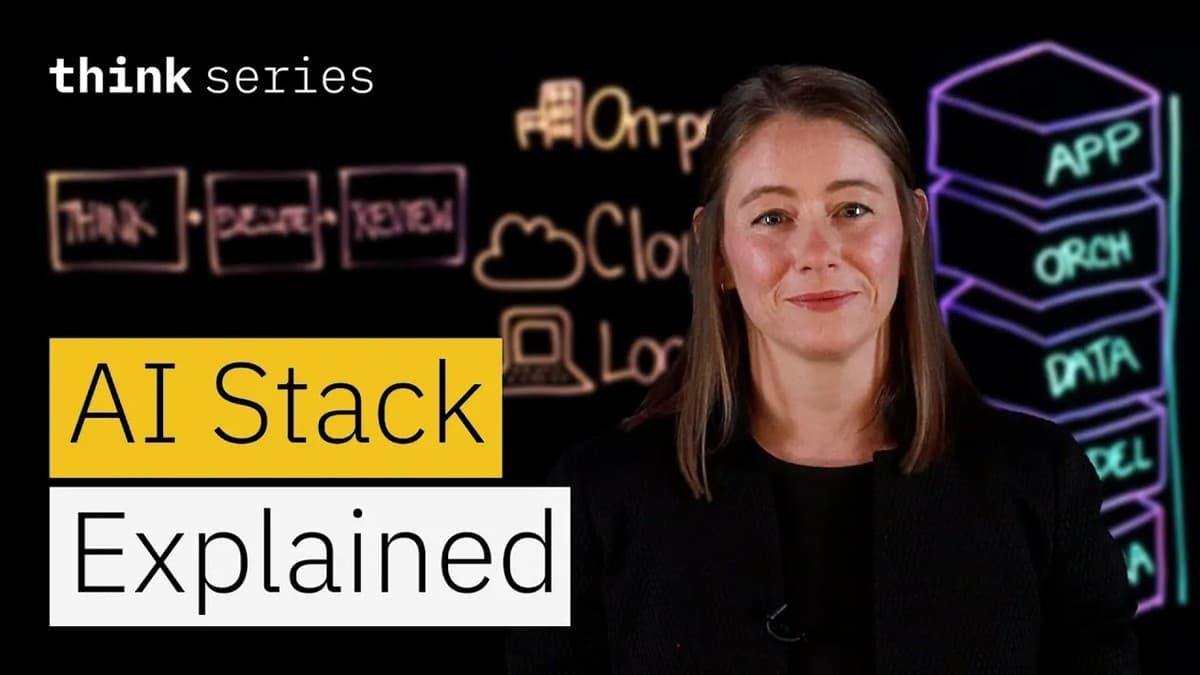
Everyone debates which AI model is the best. But a model is just one piece of a larger system. In this video, IBM's Lauren McHugh Olende walks through the five layers that make up a complete AI stack, explaining how each one shapes what your AI system can actually do.
Related reading:
What is an AI stack?
An AI stack is all the technology layers you need to build a working AI system. Think of it like a building: the model you hear about on social media is just one floor. Beneath it sits hardware, data pipes, coordination logic, and a user interface. Every choice you make across the stack affects quality, speed, cost, and safety. That's why understanding all five layers matters, whether you're building from scratch or using a managed service.
The example Lauren uses throughout is an AI-powered app for drug discovery researchers, one that helps scientists make sense of the latest papers in their field. That single example threads through all five layers and shows how each one adds something the others can't provide alone.
Layer 1: Infrastructure
The infrastructure layer is the physical foundation: the hardware your AI model actually runs on.
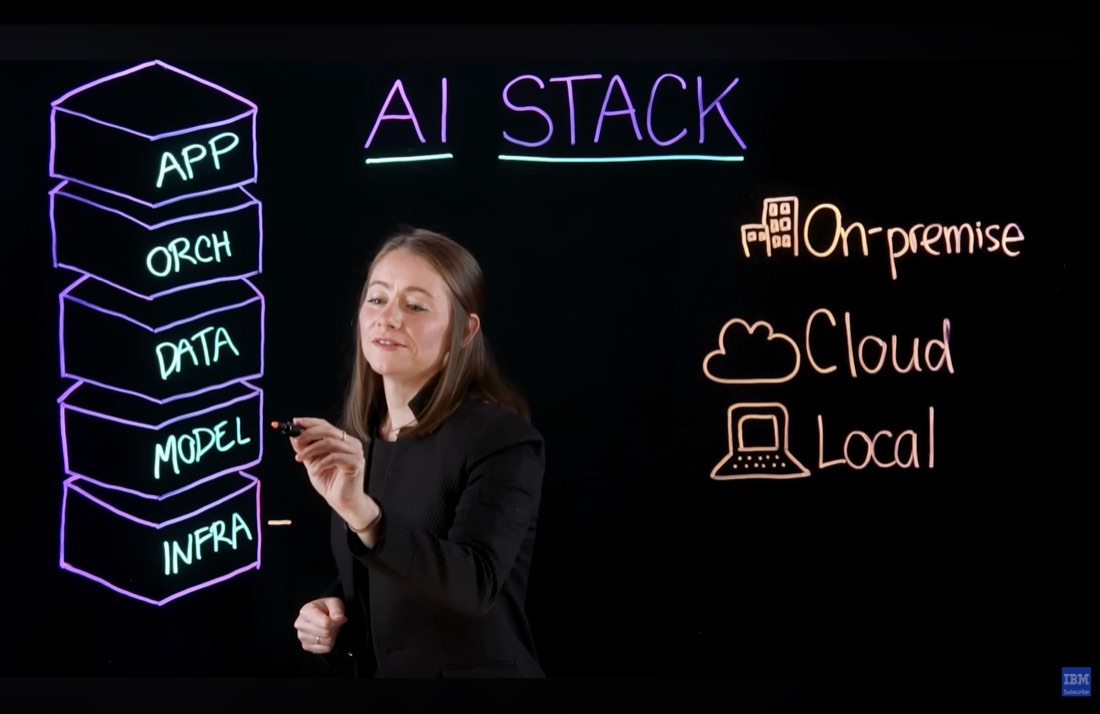
Large language models (LLMs) generally need GPUs (Graphics Processing Units, specialized chips built for heavy computation). Not all LLMs can run on standard CPU-based servers, and not all are small enough to fit on a laptop. You have three deployment options: on-premise (you own the hardware), cloud (you rent capacity and scale up or down as needed), or local (running smaller models directly on your laptop). What hardware you have access to determines which models you can run. Everything else follows from there.
Layer 2: Models
The model layer is where most people start and stop their thinking about AI. But there are real choices to make.
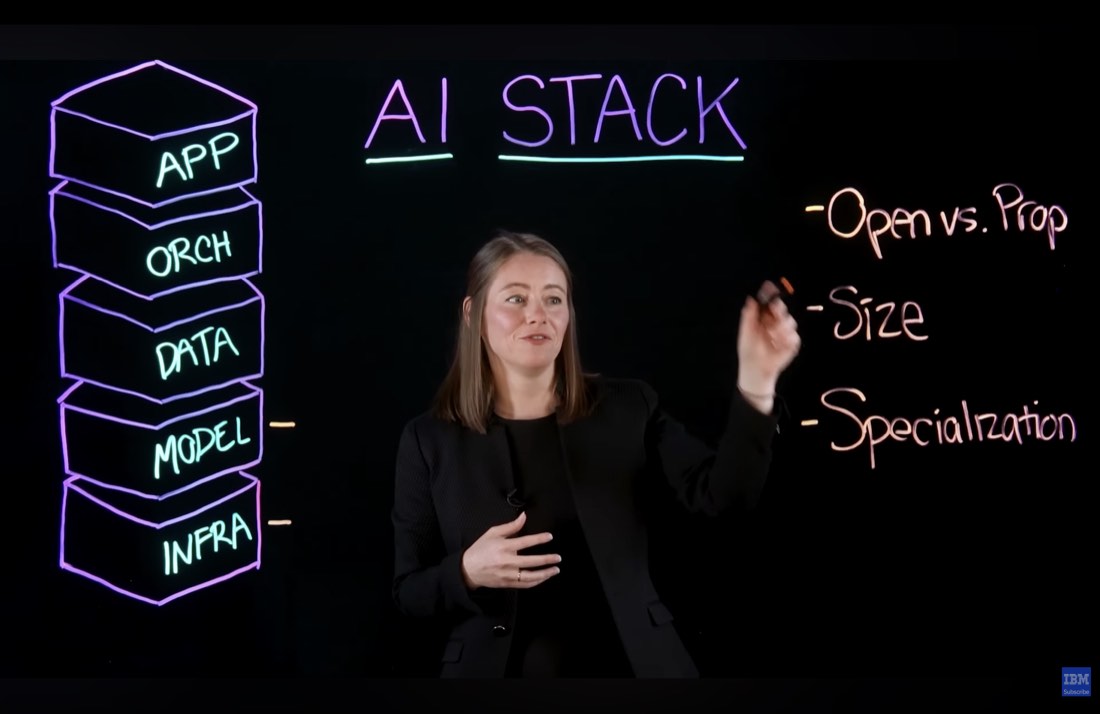
The key dimensions are: open versus proprietary, model size, and specialization. Open models can be downloaded and run on your own hardware. Proprietary models (like many of the most capable ones) are accessed via an API (Application Programming Interface, a way to talk to software over the internet). Smaller models are lighter and cheaper to run but may be less capable at complex tasks. Some models are specialized: better at reasoning, code generation, or specific languages. There are over 2 million models in catalogs like Hugging Face, so the question isn't whether a model exists for your use case, but which one fits your infrastructure and budget.
Layer 3: Data
A model's knowledge has a cutoff date. It simply doesn't know about anything that happened after it was trained. This is where the data layer comes in.
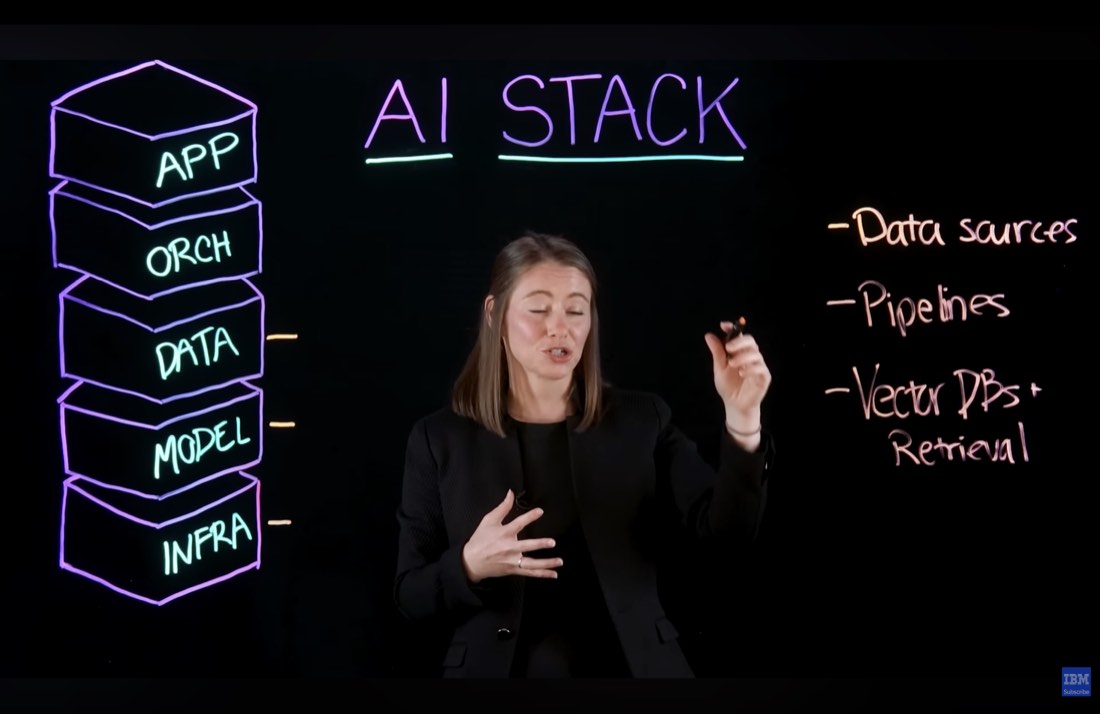
External data is what connects the model to your actual problem. In the drug discovery example, you want the AI to reason about papers published in the past three months. The base model can't do that without help. The data layer includes your data sources (the papers, databases, or documents you want the AI to use), the pipelines that clean and prepare that data, and vector databases. A vector database stores text as number sequences (called embeddings) so the model can search through large amounts of information quickly. This approach, giving the model relevant documents to consult before answering, is called Retrieval-Augmented Generation (RAG).
Layer 4: Orchestration
Simple tasks work fine with a single prompt and a single response. Complex tasks don't.
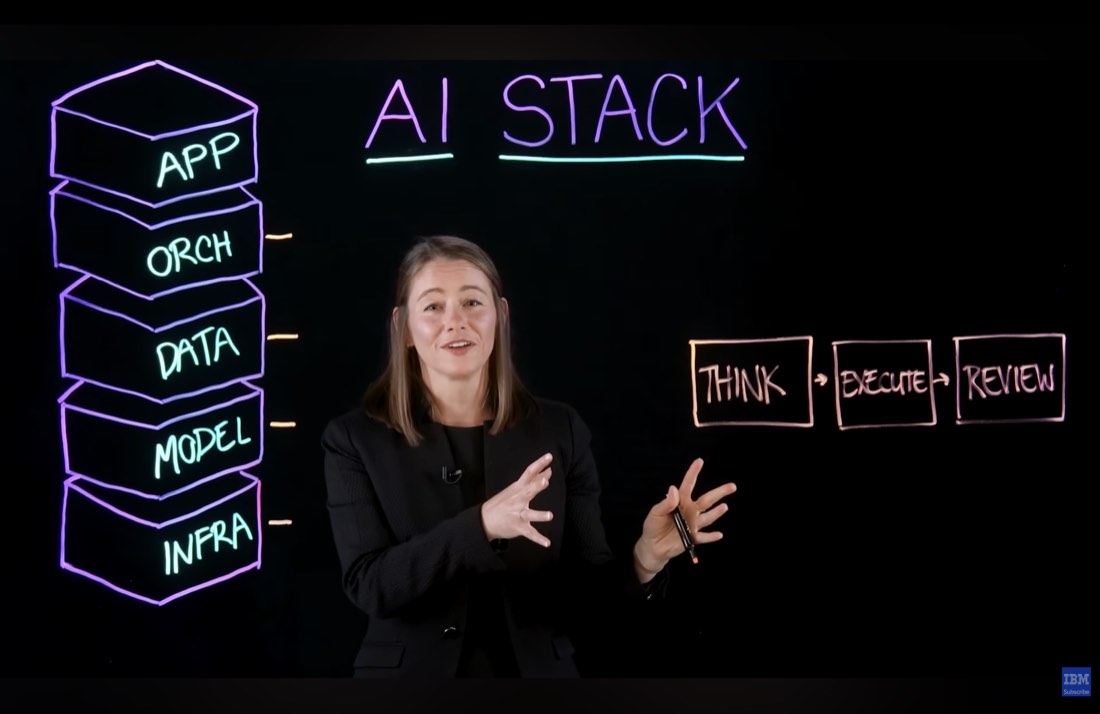
The orchestration layer breaks a user request into steps: Think (the model plans how it will approach the problem), Execute (the model uses tools or external functions to carry out parts of the plan), and Review (the model critiques its own output and runs feedback loops to improve it). This is also the layer where the AI connects to outside services like web search, code execution, or calendar access. This layer is evolving very quickly, with new protocols like MCP (Model Context Protocol, a standard for connecting AI models to external tools) emerging fast. A few years ago, most AI systems just answered questions. Orchestration is what's turning them into systems that can actually solve problems.
Explained simply: Think of MCP as a universal adapter. Instead of rebuilding the AI model for every tool it needs to talk to, MCP gives it one common language to connect to calendars, databases, websites, and other services. Each tool that plugs in gives the model access to something new: fresh data, the ability to run code, or rules for a specific task.
Layer 5: Application
The application layer is what the user actually sees and interacts with.
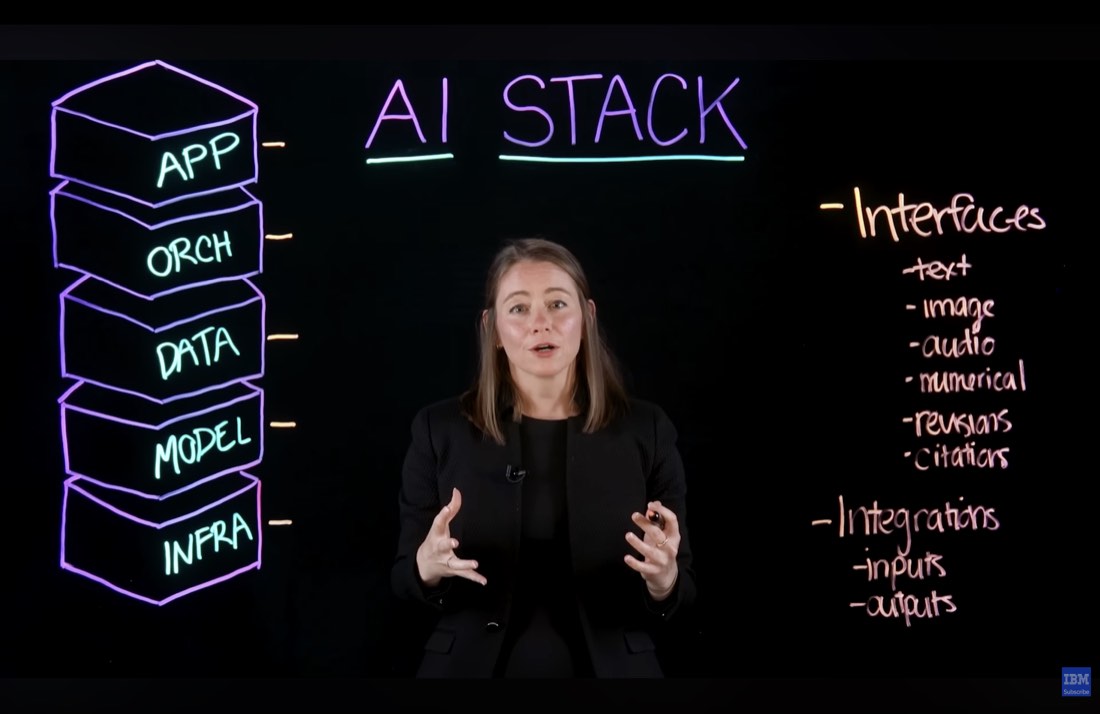
The simplest interface is text in, text out. But real usability often requires more: image, audio, or custom data formats as inputs; the ability to revise or cite what the model produced; and integrations that let other tools send data to the AI, or take the AI's output and automatically insert it into a spreadsheet, a document, or a workflow. The application layer determines whether a capable AI system is actually useful to the person trying to use it.
Why this matters
Each layer constrains the ones above it. If your infrastructure can't run large models, the model layer is limited. If your data layer has no fresh data, the model's answers go stale. If your orchestration layer can't break tasks into steps, complex requests fail. And if your application layer has no integrations, the output dies in a chat window.
Understanding all five layers lets you see where a problem actually lives, and where to invest.
Glossary
| Term | Definition |
|---|---|
| AI Stack | All the technology layers needed to build a working AI system |
| GPU (Graphics Processing Unit) | A specialized chip built for heavy computation, used to run AI models |
| LLM (Large Language Model) | A large AI model trained on text data, capable of generating and understanding language |
| RAG (Retrieval-Augmented Generation) | A technique where the AI looks up relevant documents from a database before answering |
| Vector database | A database that stores text as number sequences so AI can search it quickly |
| Orchestration | The layer that breaks tasks into smaller steps and coordinates how the AI solves them |
| MCP (Model Context Protocol) | A standard protocol that lets AI models connect to external tools and data sources |
| Knowledge cutoff | The date after which a model has no training data. It doesn't know about newer events |
Sources and resources
- Source video: What Is an AI Stack? LLMs, RAG, & AI Hardware — IBM Technology
- Hugging Face Model Hub — Model catalog referenced in the video
Want to go deeper? Watch the full video on YouTube →