Claude Code: Skills — Build Your Own Commands
Skills let you teach Claude Code new tricks with simple text files. Create custom commands, automate workflows, and share them with your team.
7 min read min read
In Brief
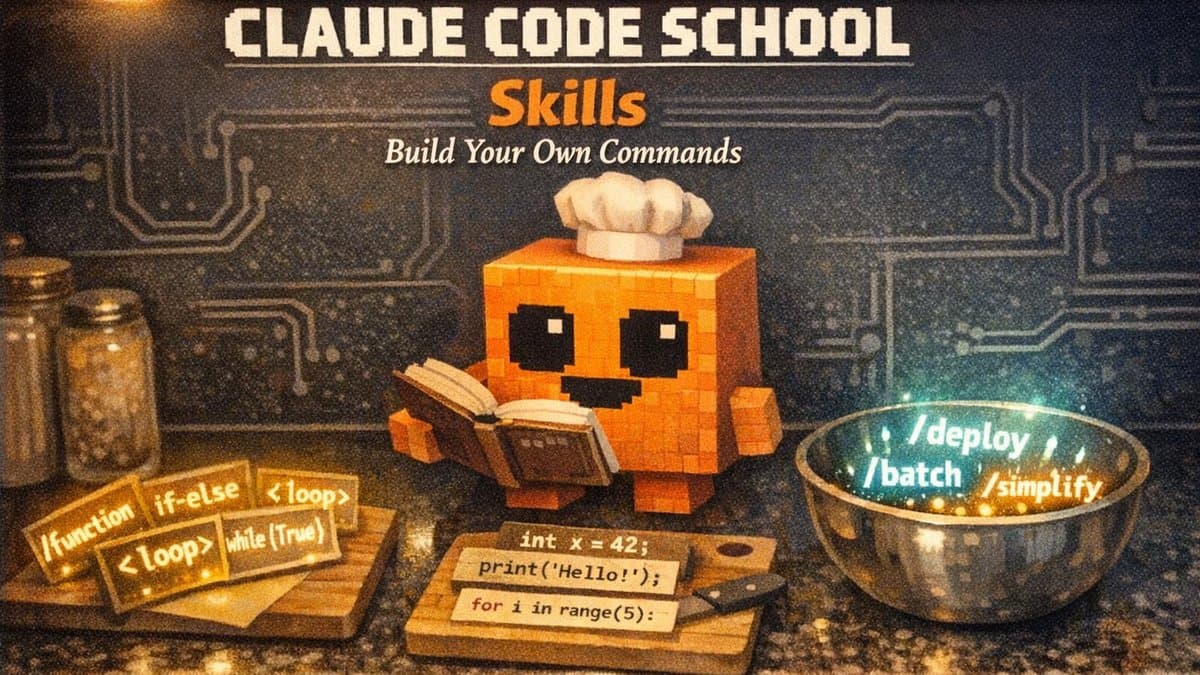
Claude Code is powerful out of the box. It can read your files, run programs, and build entire projects. But every team, every project, and every person works differently. Skills let you teach Claude how you work by writing simple text files called SKILL.md. Think of a skill as a recipe card you hand to a chef: it tells Claude exactly what ingredients to gather, what steps to follow, and what the finished dish should look like. Once the recipe exists, Claude can follow it any time the situation calls for it, or you can ask for it by name.
You do not need to be a programmer to create skills. If you can write a set of instructions in plain English, you can build a skill.
Related reading:
The cookbook analogy
Imagine Claude Code is a talented chef who can cook almost anything. Without skills, you have to explain every dish from scratch every time. "First, preheat the oven. Then mix flour and butter..." It works, but it is slow and repetitive.
Skills are the cookbook. Each skill is a recipe card with clear instructions. When you say "make the deploy dish," Claude opens the recipe and follows it step by step. You wrote the recipe once. Claude follows it forever.
This analogy holds up in several ways:
| Cookbook concept | Skills equivalent |
|---|---|
| Recipe card | SKILL.md file |
| Recipe name | The /slash-command (e.g., /deploy) |
| Ingredients list | Supporting files, templates, scripts |
| Chef's personal cookbook | Personal skills in ~/.claude/skills/ |
| Restaurant's house recipes | Project skills in .claude/skills/ |
| Cookbook publisher | Plugins and enterprise managed skills |
What a skill looks like
A skill is a folder containing a file called SKILL.md. That file has two parts: a header (called frontmatter) that tells Claude metadata about the skill, and a body with the actual instructions.
Here is a simple example. This skill teaches Claude to explain code using diagrams and everyday analogies:
---
name: explain-code
description: Explains code with visual diagrams and analogies.
  Use when explaining how code works or when the user asks
  "how does this work?"
---

When explaining code, always include:

1. **Start with an analogy**: Compare the code to something
   from everyday life
2. **Draw a diagram**: Use ASCII art to show the flow
3. **Walk through the code**: Explain step-by-step what happens
4. **Highlight a gotcha**: What is a common mistake?

Keep explanations conversational.
Save this as ~/.claude/skills/explain-code/SKILL.md and you have a working skill. Claude can now use it automatically when you ask how something works, or you can type /explain-code to invoke it directly.
Two flavors of skills
Not all recipes are the same. Some are reference material you want Claude to keep in mind. Others are step-by-step action plans. Skills work the same way.
Reference skills: background knowledge
A reference skill adds conventions, patterns, or domain knowledge that Claude applies to whatever you are working on. Think of it as a style guide pinned to the wall.
---
name: api-conventions
description: API design patterns for this codebase
---

When writing API endpoints:
- Use RESTful naming conventions
- Return consistent error formats with status codes
- Include request validation on every route
- Log errors with structured JSON
Claude loads this automatically when you are working on API code. You never have to type /api-conventions. It just knows.
Task skills: step-by-step actions
A task skill gives Claude a checklist to follow when you trigger it. Think of it as a recipe you pull out when it is time to cook a specific dish.
---
name: deploy
description: Deploy the application to production
disable-model-invocation: true
---

Deploy the application:
1. Run the test suite
2. Build the application
3. Push to the deployment target
4. Verify the deployment succeeded
The disable-model-invocation: true line is important here. It means only you can trigger this skill by typing /deploy. You do not want Claude deciding to deploy your application just because the code looks ready.
Bundled skills: ready out of the box
Claude Code ships with five built-in skills you can use immediately. These are not simple shortcuts. They are detailed playbooks that let Claude orchestrate complex work, including spawning multiple agents in parallel.
| Skill | What it does |
|---|---|
/batch <instruction> | Break a large task into 5-30 independent units and run them all in parallel, each in its own isolated workspace. Great for codebase-wide migrations |
/claude-api | Load reference material for building with the Claude API. Activates automatically when your code imports the Anthropic SDK |
/debug [description] | Turn on debug logging and help troubleshoot issues by reading the session log |
/loop [interval] <prompt> | Run a prompt repeatedly on a schedule. Example: /loop 5m check if the website is up |
/simplify [focus] | Review your recently changed files for code quality issues, then fix them. Spawns three review agents in parallel |
The key difference between bundled skills and built-in commands (like /help or /compact) is that bundled skills are prompt-based. They give Claude a detailed playbook and let it figure out the best approach for your specific codebase. Built-in commands execute fixed logic.
Where skills live
Where you store a skill determines who can use it. Think of it as different shelves in a kitchen:
| Location | Path | Who can use it |
|---|---|---|
| Enterprise | Managed by your organization | Everyone in the company |
| Personal | ~/.claude/skills/skill-name/SKILL.md | You, in all your projects |
| Project | .claude/skills/skill-name/SKILL.md | Anyone working on this project |
| Plugin | Inside an installed plugin | Wherever the plugin is enabled |
When two skills share the same name, the higher shelf wins: enterprise beats personal, personal beats project. Plugin skills use a namespace (like plugin-name:skill-name) so they never conflict with the others.
A note about custom commands: If you have been using .claude/commands/ files, those still work perfectly. In fact, .claude/commands/deploy.md and .claude/skills/deploy/SKILL.md both create the same /deploy command. Skills are the newer format and support extra features like supporting files, but your existing commands keep working without any changes.
Passing arguments
Skills can accept input. The $ARGUMENTS placeholder gets replaced with whatever you type after the skill name.
---
name: fix-issue
description: Fix a GitHub issue
disable-model-invocation: true
---

Fix GitHub issue $ARGUMENTS following our coding standards.

1. Read the issue description
2. Understand the requirements
3. Implement the fix
4. Write tests
5. Create a commit
Type /fix-issue 123 and Claude receives "Fix GitHub issue 123 following our coding standards."
For skills that take multiple inputs, use numbered arguments. $0 is the first argument, $1 is the second:
---
name: migrate-component
description: Migrate a component from one framework to another
---

Migrate the $0 component from $1 to $2.
Preserve all existing behavior and tests.
Running /migrate-component SearchBar React Vue tells Claude to migrate the SearchBar component from React to Vue. Multi-word arguments need quotes: /migrate-component "Search Bar" React Vue.
Dynamic context injection
Here is where skills get genuinely powerful. The !`command` syntax runs a shell command before Claude sees the skill content. The command output replaces the placeholder, so Claude receives real, live data.
---
name: pr-summary
description: Summarize changes in a pull request
---

## Pull request context
- PR diff: !`gh pr diff`
- PR comments: !`gh pr view --comments`
- Changed files: !`gh pr diff --name-only`

## Your task
Summarize this pull request. Highlight breaking changes
and suggest improvements.
When you type /pr-summary, three things happen before Claude sees anything:
gh pr diffruns and captures the actual diffgh pr view --commentsfetches the real commentsgh pr diff --name-onlylists the changed files
Claude receives the fully rendered prompt with real PR data already embedded. This is preprocessing. Claude does not run these commands. It only sees the output.
Controlling who can trigger a skill
Two frontmatter fields let you control access:
| Setting | You can invoke | Claude can invoke | Use case |
|---|---|---|---|
| Default (no setting) | Yes | Yes | General knowledge and conventions |
disable-model-invocation: true | Yes | No | Actions with side effects: deploy, commit, send messages |
user-invocable: false | No | Yes | Background knowledge Claude should know but users should not trigger directly |
This matters more than it might seem. A deploy skill should never run because Claude thought the code looked ready. A legacy system context skill should always be available to Claude but never clutter your / menu.
Supporting files
A skill can include more than just SKILL.md. Think of the skill directory as a recipe box: the main card is on top, but there are reference sheets, templates, and helper scripts underneath.
my-skill/
├── SKILL.md           # Main instructions (required)
├── template.md        # Template for Claude to fill in
├── examples/
│   └── sample.md      # Example output showing expected format
└── scripts/
    └── validate.sh    # Script Claude can execute
Reference these files from your SKILL.md so Claude knows they exist and when to load them. Keep SKILL.md itself under 500 lines. Move detailed reference material to separate files.
Running skills in isolation
Add context: fork to your frontmatter to run a skill in a separate subagent (a self-contained Claude instance that works independently). The skill content becomes the task for that subagent, and the results are summarized back to your main conversation.
---
name: deep-research
description: Research a topic thoroughly
context: fork
agent: Explore
---

Research $ARGUMENTS thoroughly:

1. Find relevant files using Glob and Grep
2. Read and analyze the code
3. Summarize findings with specific file references
This is useful for tasks that should not interfere with your current conversation. The subagent works in its own isolated context and reports back when done.
Sharing skills
Because skills are just files, sharing them is straightforward:
- With your team: Put skills in
.claude/skills/in your project repository. Anyone who clones the repo gets the skills automatically. - As a plugin: Package skills into a plugin that others can install. Plugin skills use a namespace so they never conflict with project or personal skills.
- Enterprise-wide: Organizations can distribute managed skills to all users through enterprise settings.
Putting it all together: a real-world example
Here is a skill that generates a weekly project status report. It combines several concepts: dynamic context injection, supporting arguments, and task-style instructions.
---
name: weekly-report
description: Generate a weekly status report for the project
disable-model-invocation: true
context: fork
---

## Project context
- Recent commits: !`git log --oneline -20`
- Open issues: !`gh issue list --limit 10`
- Open PRs: !`gh pr list --limit 10`

## Your task
Write a concise weekly status report for $ARGUMENTS
(or the current project if no name is given).

Include:
1. What was accomplished this week
2. What is in progress
3. Any blockers or risks
4. Priorities for next week

Format as markdown. Keep it under 500 words.
Type /weekly-report and Claude fetches live data from git and GitHub, analyzes it, and writes a complete status report. The context: fork ensures it runs in isolation so it does not interfere with your current work. The disable-model-invocation: true ensures Claude only generates the report when you ask for it.
That is the power of skills: you write the recipe once, and Claude follows it perfectly every time.
Glossary
| Term | Definition |
|---|---|
| Skill | A text file (SKILL.md) that teaches Claude Code a new capability or workflow |
| SKILL.md | The main instruction file inside a skill directory. Contains frontmatter and markdown instructions |
| Frontmatter | The metadata section between --- markers at the top of a SKILL.md file. Controls how the skill behaves |
| Slash command | A skill invoked by typing / followed by the skill name, like /deploy or /fix-issue |
| Bundled skill | A skill that ships with Claude Code and is available in every session, like /batch or /simplify |
| Reference skill | A skill that provides background knowledge Claude applies automatically, like coding conventions |
| Task skill | A skill with step-by-step instructions for a specific action, usually invoked manually |
| Dynamic context injection | The !`command` syntax that runs shell commands before Claude sees the skill, injecting live data |
| Subagent | A self-contained Claude instance that works independently. Skills with context: fork run in a subagent |
| Plugin | A package of skills, tools, or configuration that can be installed and shared across projects |
Sources and resources
- Claude Code Skills Documentation — Official guide to creating, configuring, and sharing skills
- Claude Code Overview — General documentation for Claude Code
- Agent Skills Standard — The open standard that Claude Code skills are based on